
Roomlio WordPress Plugin



You can easily add Roomlio to your WordPress site by using Roomlio's WordPress plugin.
What is Roomlio? Roomlio allows you to easily embed chat rooms into your Wordpress pages or posts. You can choose which pages or posts to add chat rooms. Chat rooms can be different for each page or shared across pages. If your users are using Wordpress authentication, they will automatically be signed in to chat rooms securely.
How to add Roomlio to Wordpress:
1. First signup for Roomlio: https://app.roomlio.com/#/signup.
2. Install the Roomlio WordPress plugin: https://wordpress.org/plugins/roomlio-group-chat.
3. Activate the plugin.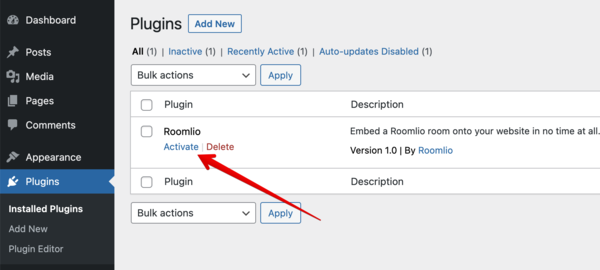
4. Grab the HMAC Key and PK from the embed code section in the Roomlio app.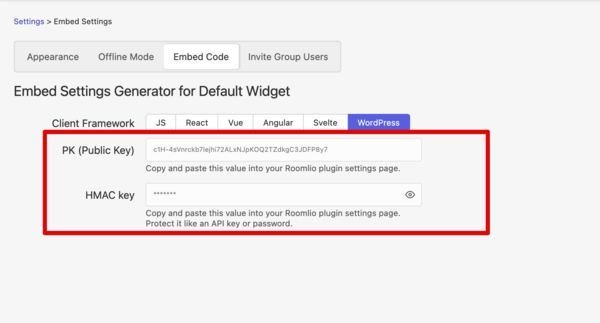
5. Paste the values into the fields on the Roomlio plugin settings page.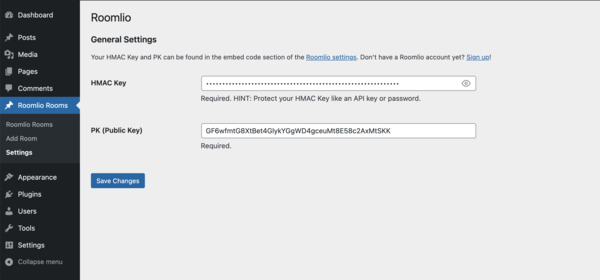
6. Add a room and be sure to "Publish" it.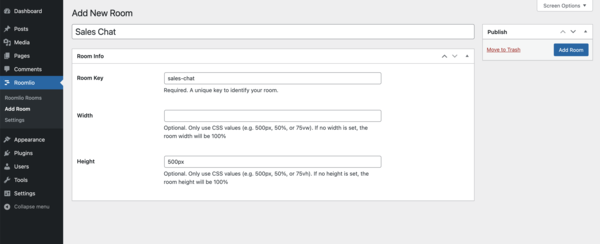
7. Either grab the auto generated shortcode from the newly created room.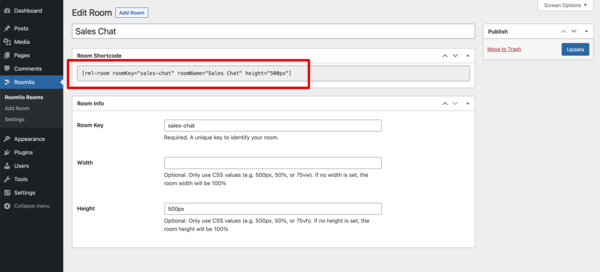
8. And paste it on to the page you want Roomlio to show up.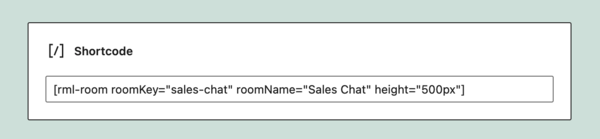
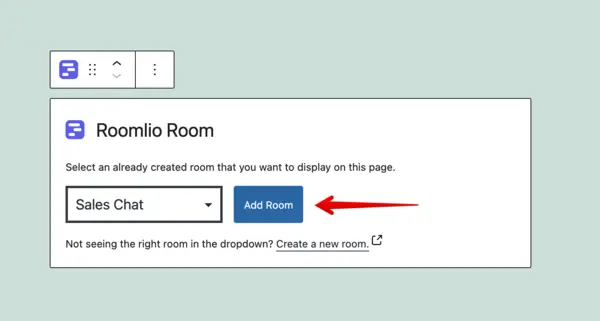
9. Or add the room to your page using the Roomlio custom block type widget.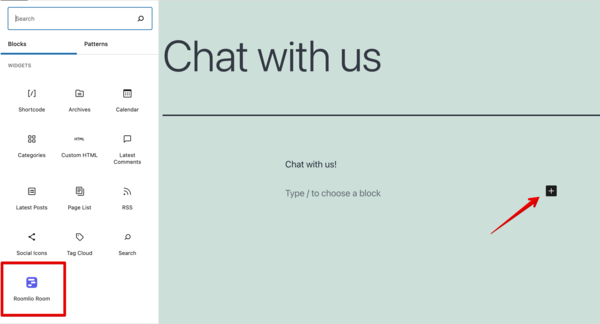
Please do not hesitate to contact us via our chat widget below if you have any questions!